KārgāhFlow
About 1 minute 6 stepsFor owners

Take an unpaid lunch off long shifts

Pay the hours your crew worked, not the lunch they did not clock out for.

What this is

Most crews don’t clock out for lunch, so a day from 7:00 to 15:30 shows 8½ hours when 8 are paid. With the unpaid lunch on, 30 minutes comes off every shift of 5 hours or more that starts after you turn it on.

Your crew tick No lunch today when they clock out if they worked through it, and you can change it on the shift. Shifts already worked, pay already worked out and invoices already sent never change.

Step 1 of 6
  1. Step 1: TapClick Yes, take lunch off

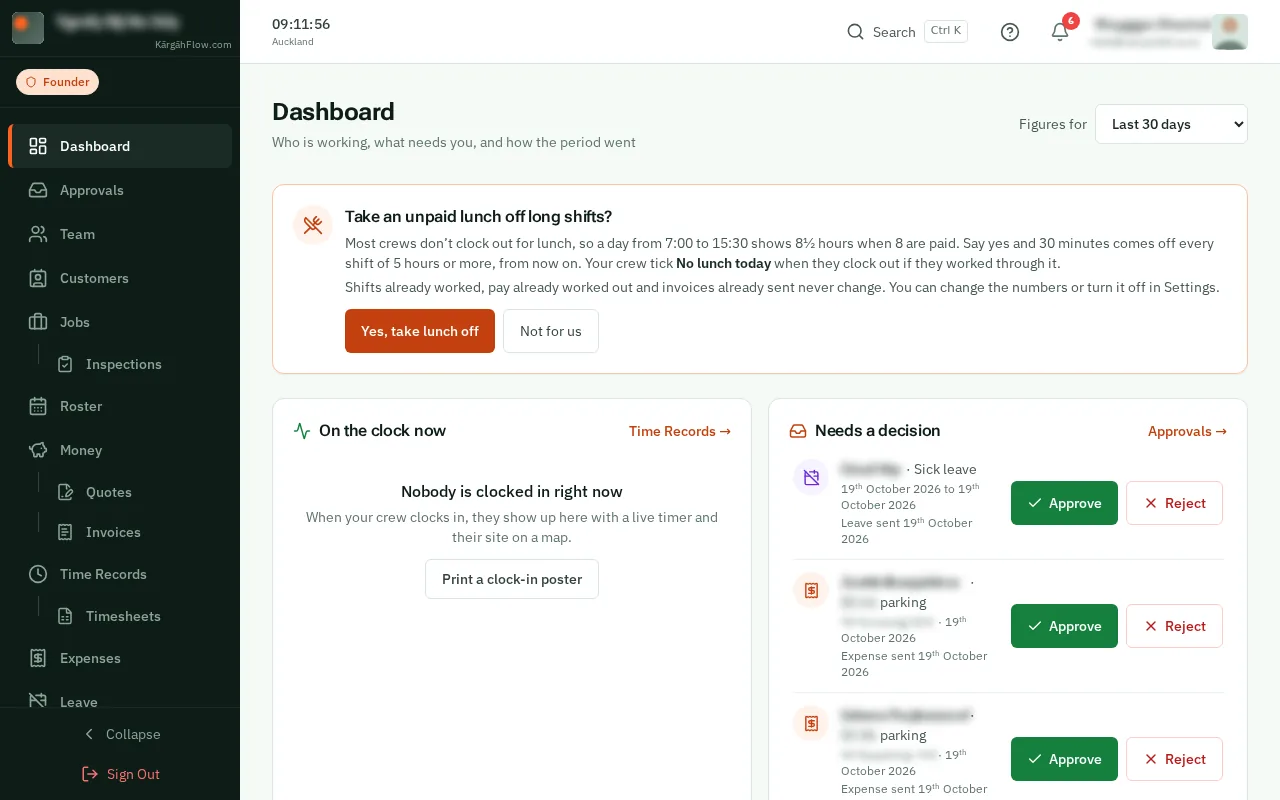
    On your home screen, Take an unpaid lunch off long shifts? says what happens. TapClick Yes, take lunch off, or Not for us to leave your hours as they are.

    Look forthe Yes, take lunch off button

    Good to know: The question is asked once. Either answer can be changed in Settings at any time.
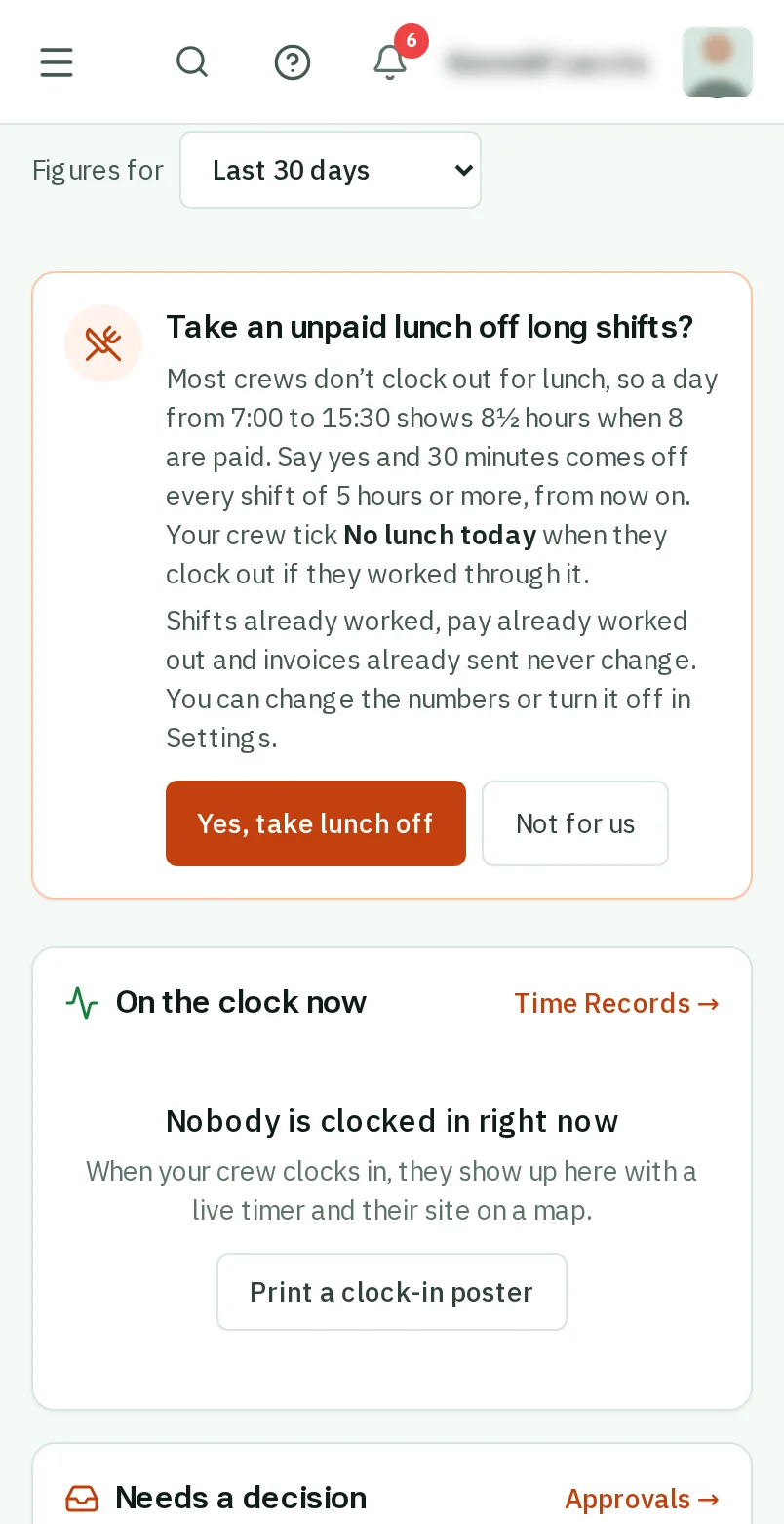
    Tap Yes, take lunch off
    Click Yes, take lunch off
  2. Step 2: Or open Settings

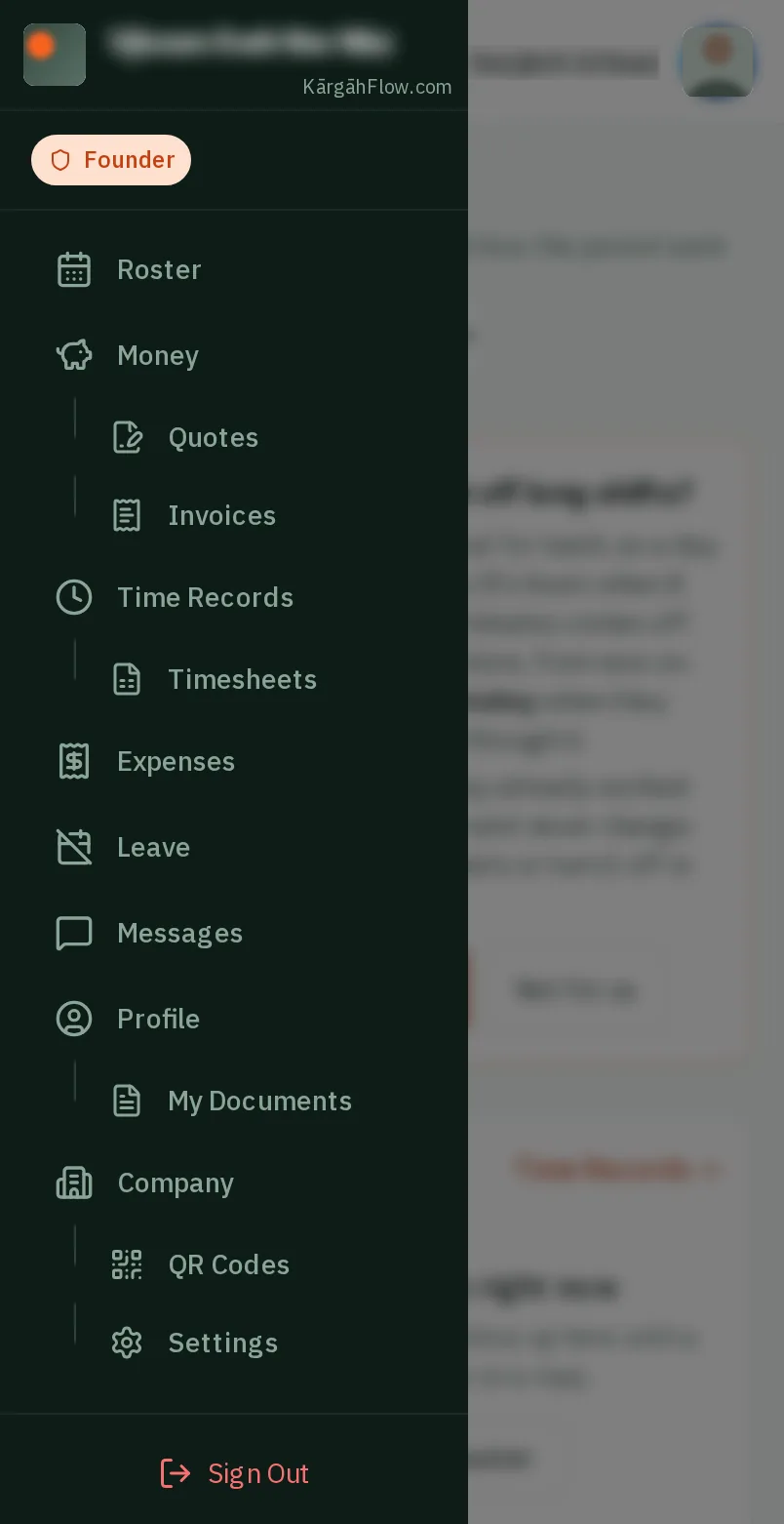
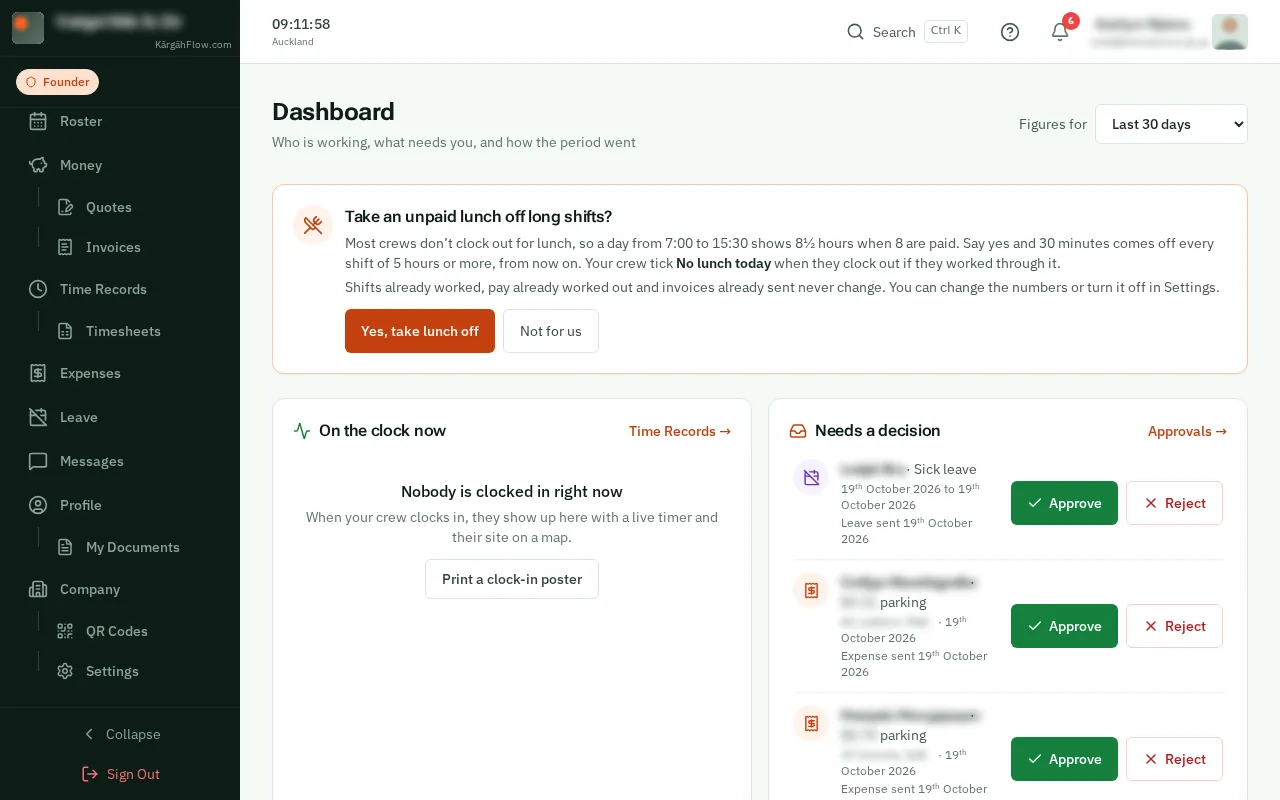
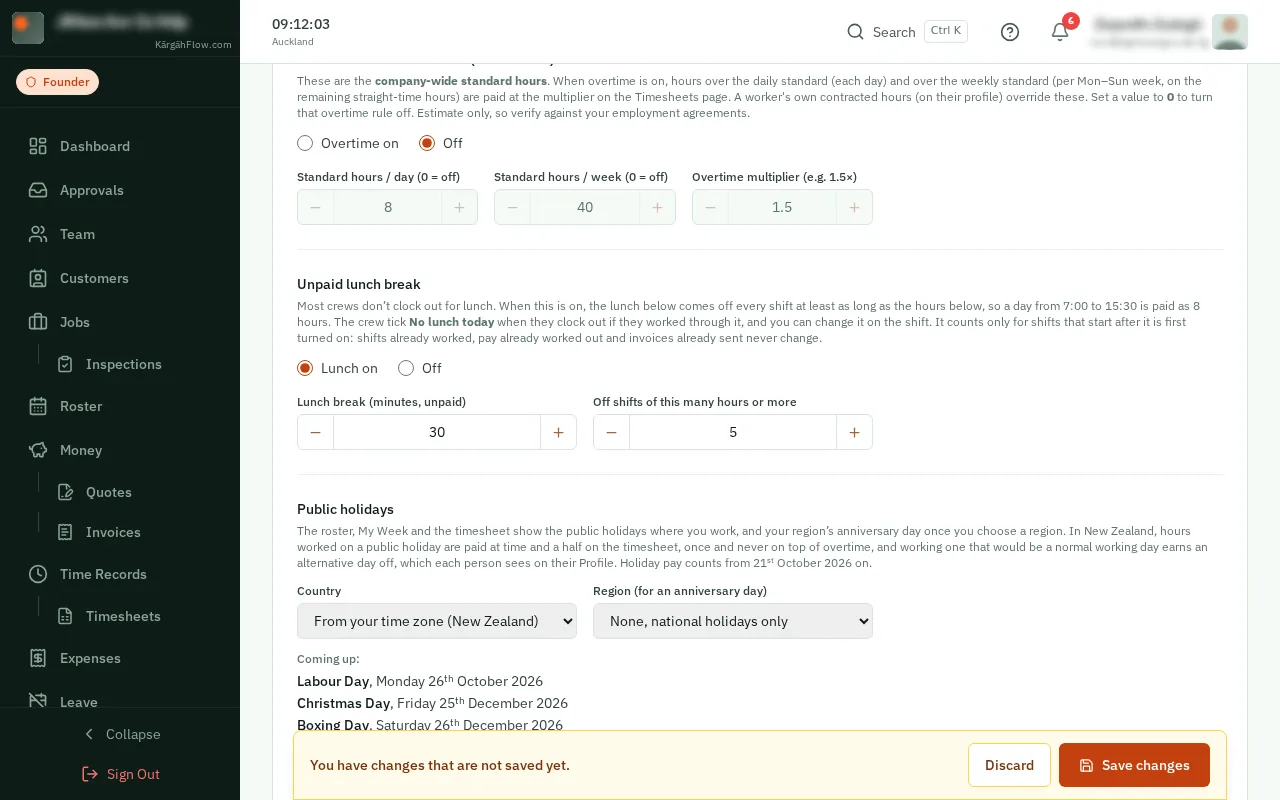
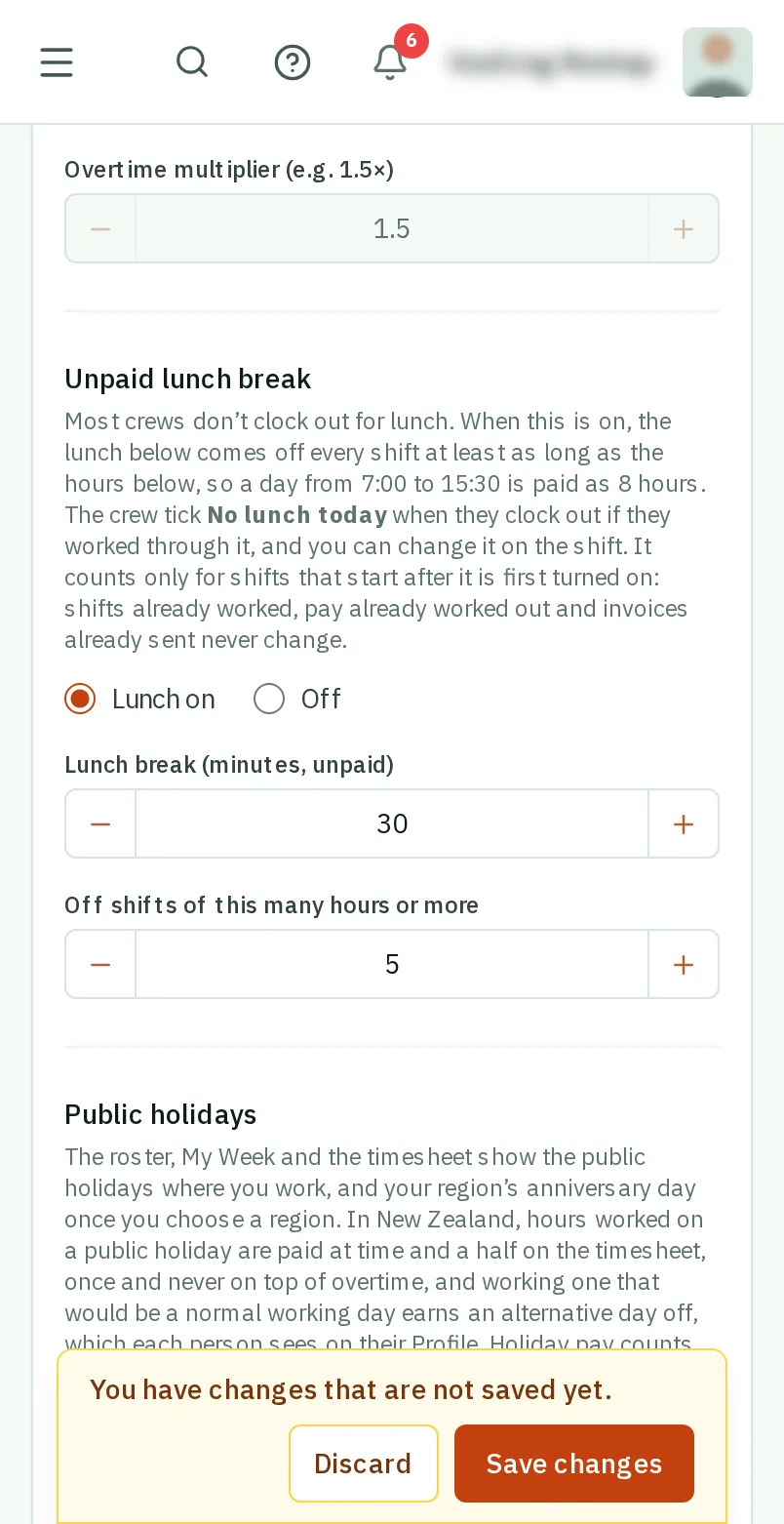
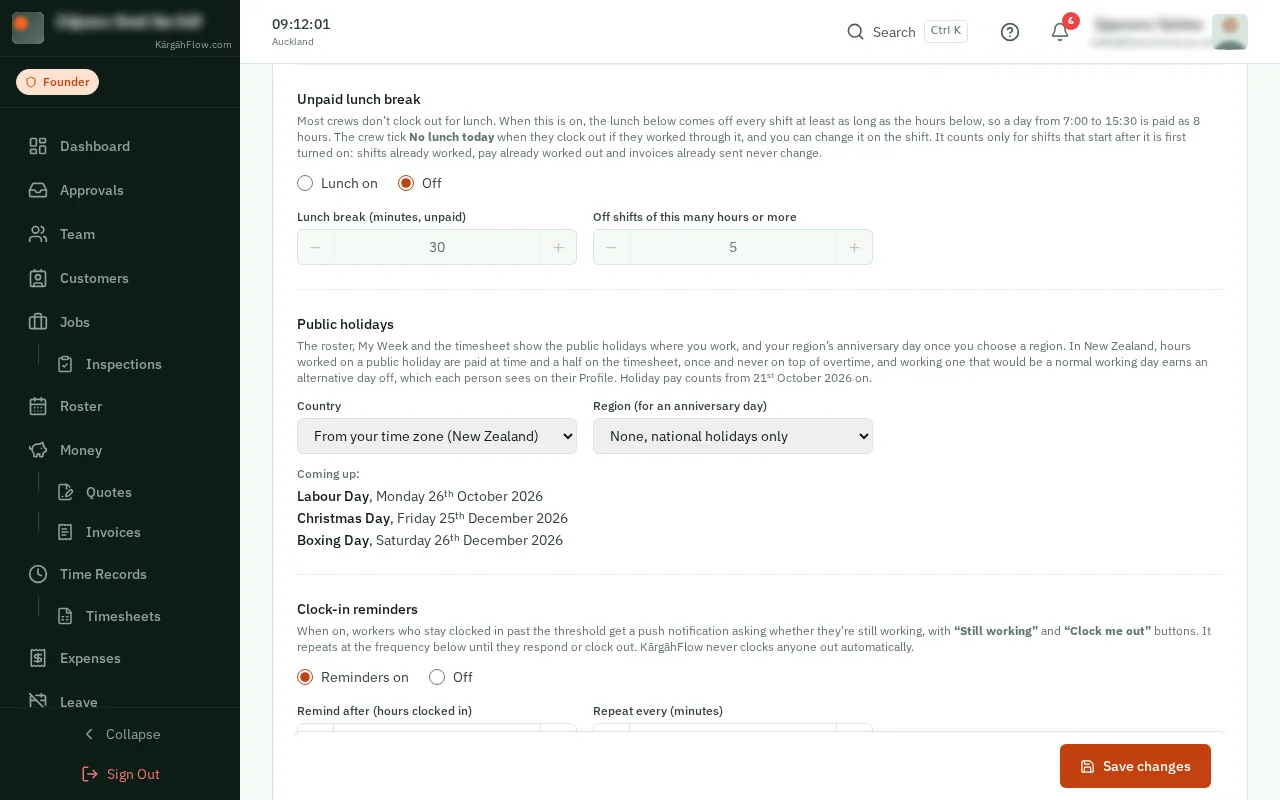
    TapClick the menu button at the top left of the screen, then Settings.TapClick Settings in the menu on the left.

    Look forthe Settings item in the menu

    Good to know: Settings sits under Company in the menu.

    Or open Settings
    Or open Settings
  3. Step 3: Choose Lunch on

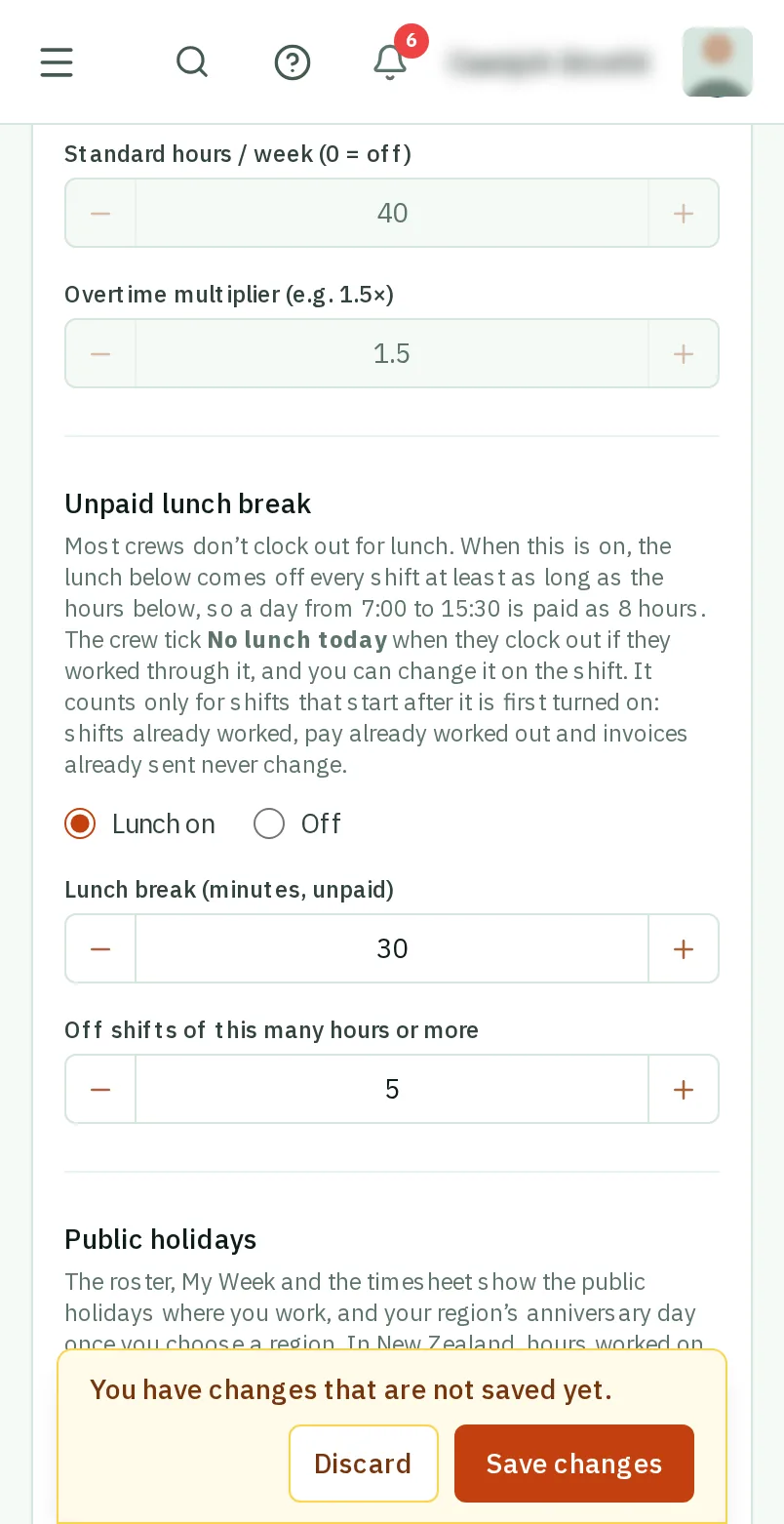
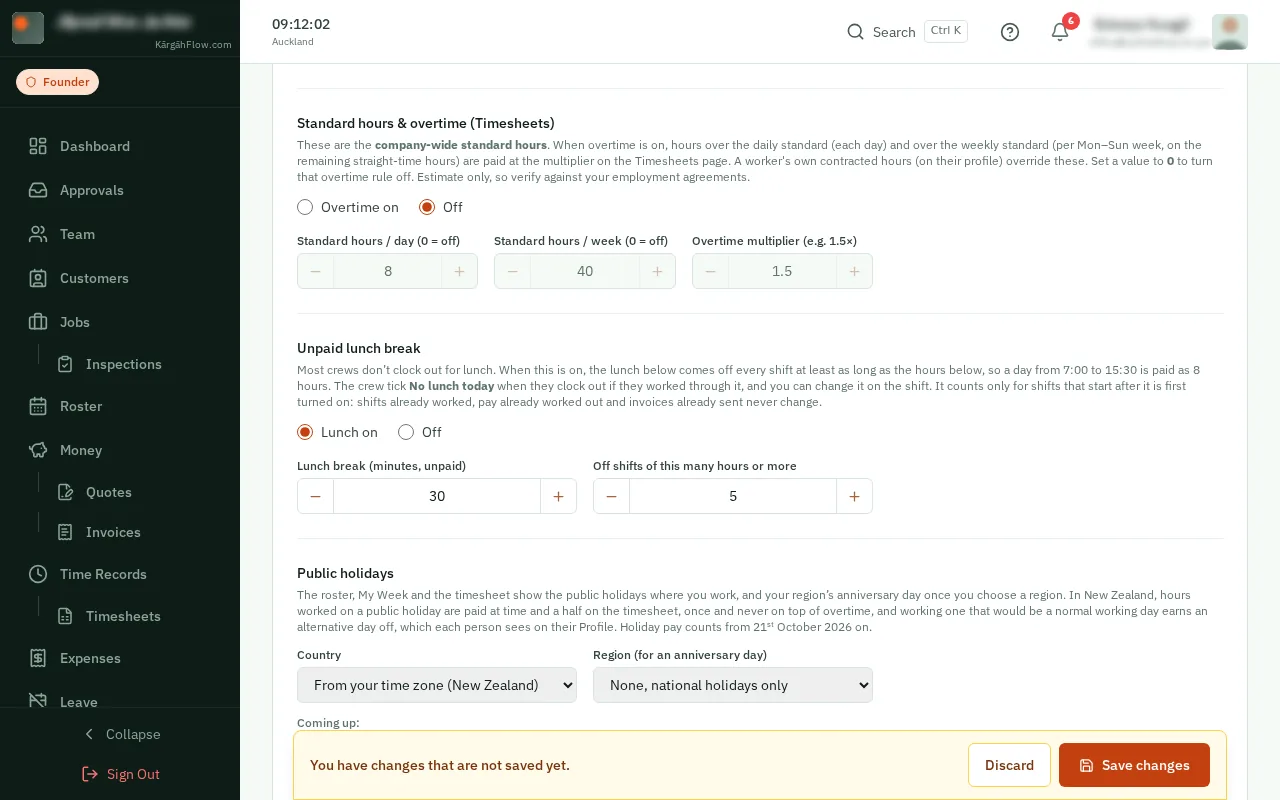
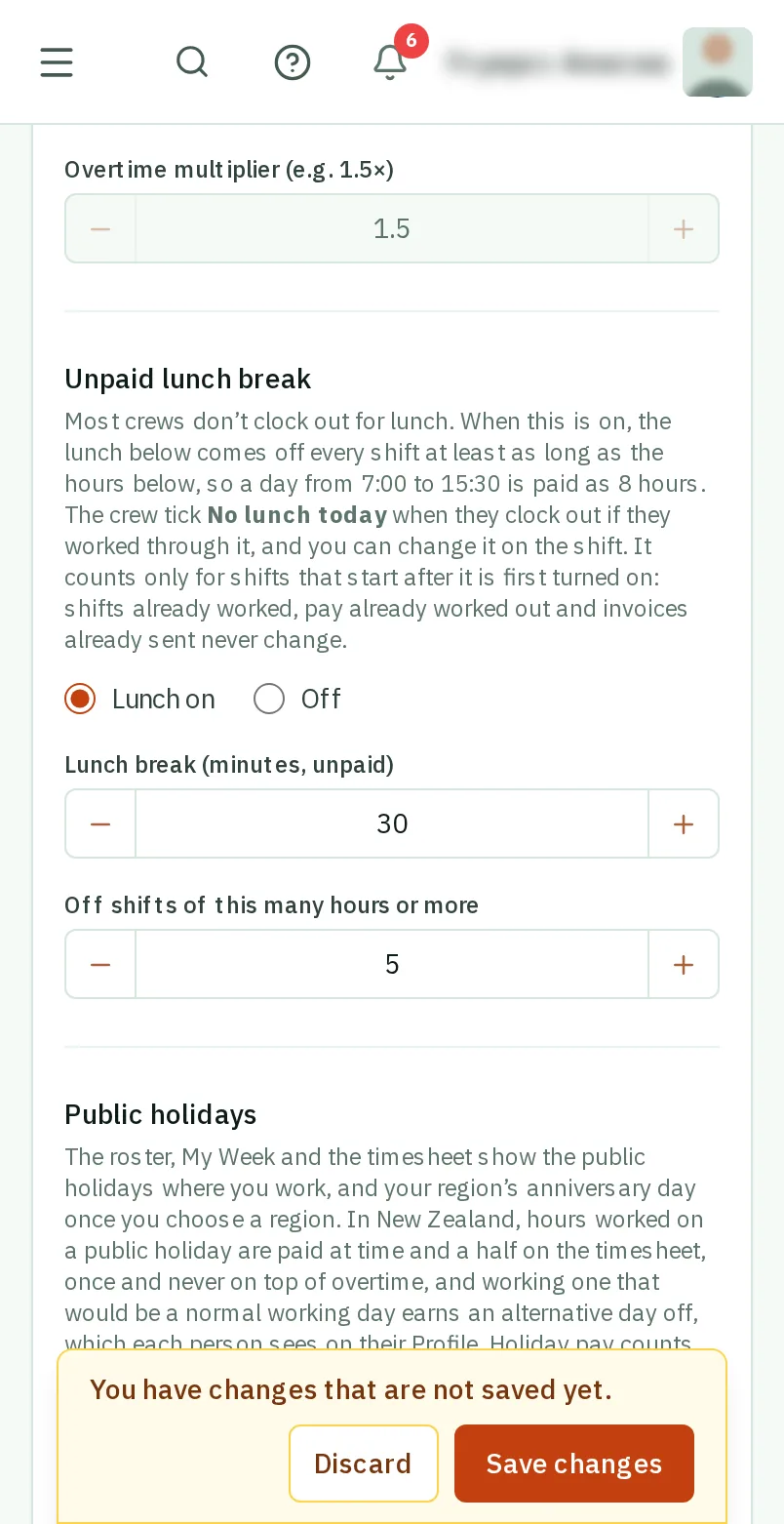
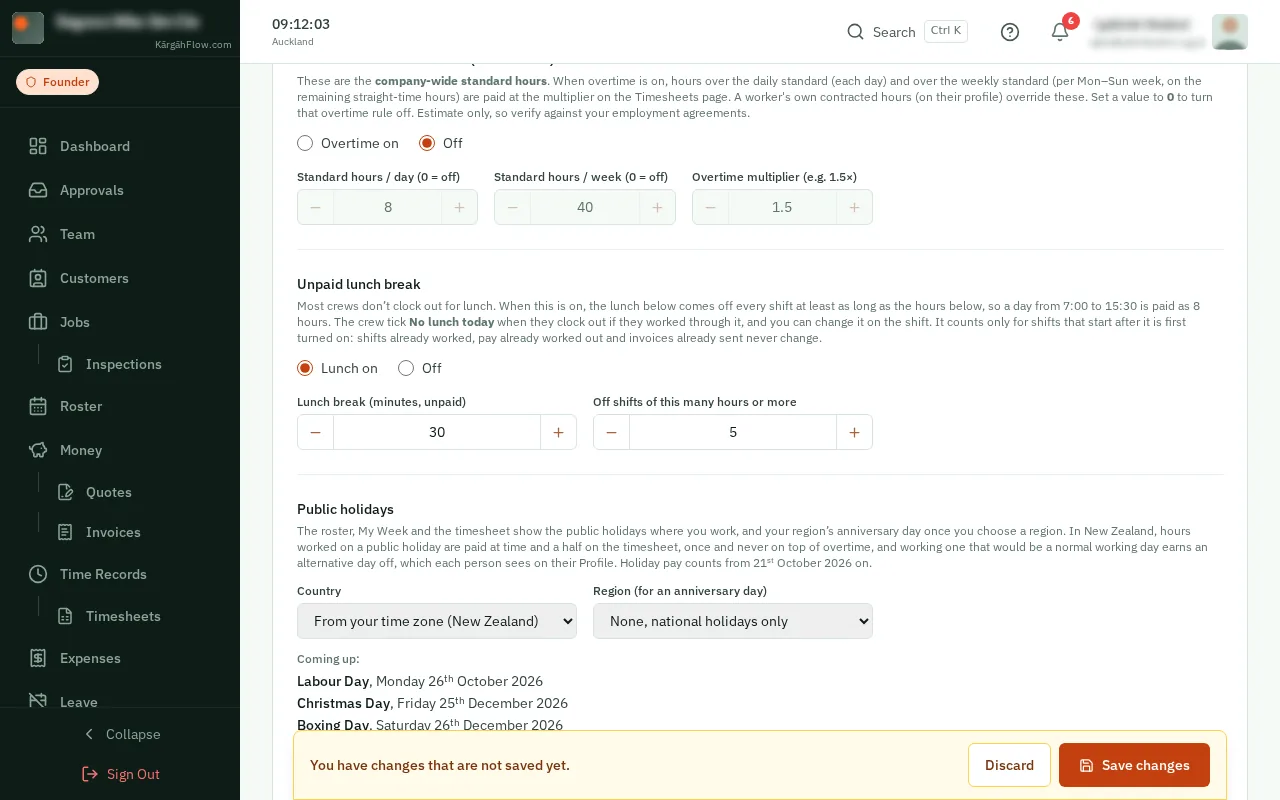
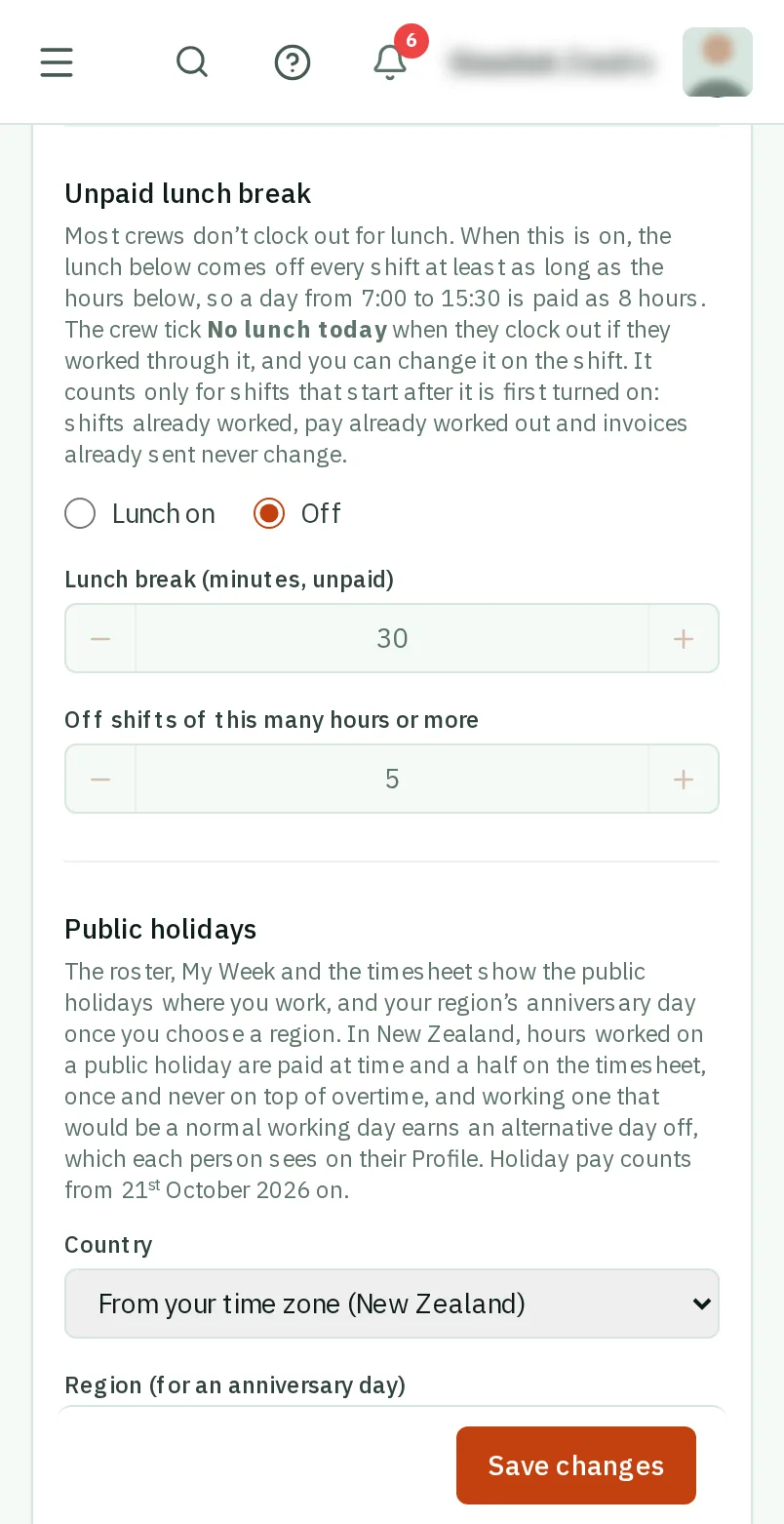
    Under Unpaid lunch break, choose Lunch on.

    Look forthe Lunch on choice
    Choose Lunch on
    Choose Lunch on
  4. Step 4: How long, and after how many hours

    Set how long the Lunch break is, in minutes, and how many hours a shift must be for it to come off. 30 minutes off shifts of 5 hours or more is filled in.

    Look forthe Lunch break (minutes, unpaid) box
    How long, and after how many hours
    How long, and after how many hours
  5. Step 5: TapClick Save changes

    TapClick Save changes at the bottom.

    Look forthe Save changes button

    Good to know: From then on, your crew see No lunch today above Clock out once a shift is long enough to lose its lunch.

    Tap Save changes
    Click Save changes
  6. Step 6: See what came off

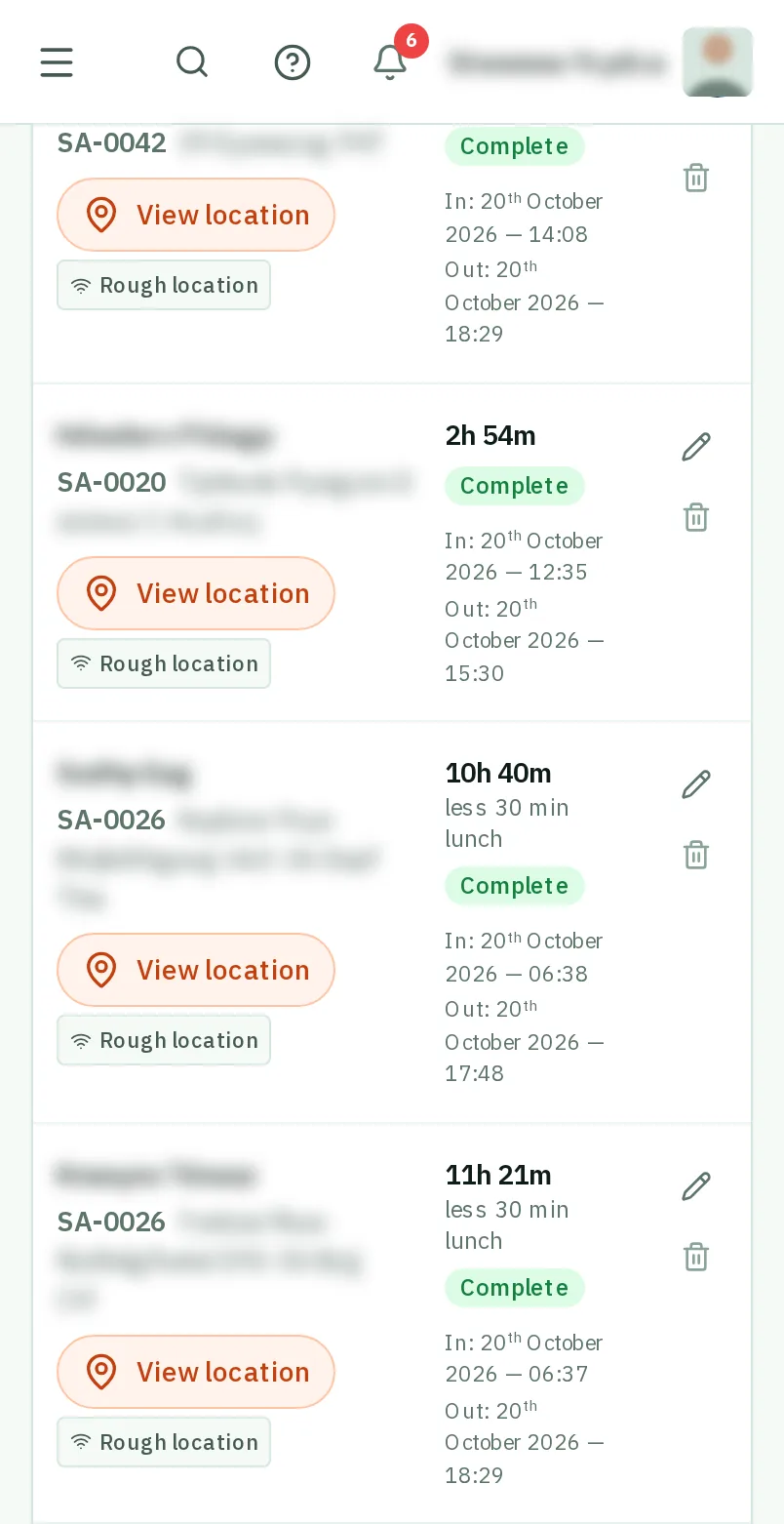
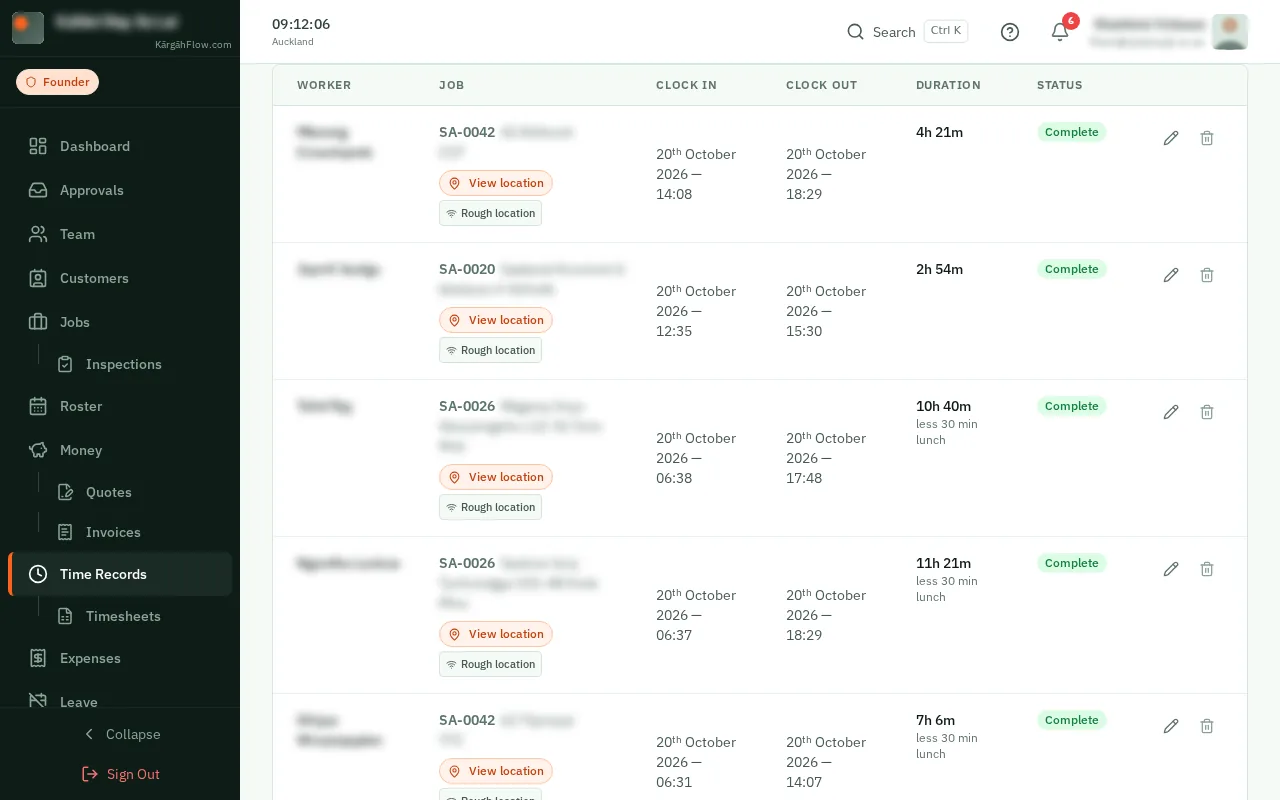
    In Time Records, a shift that lost its lunch says so under its hours, like less 30 min lunch. The timesheets and your crew’s own hours say it too.

    Good to know: Did someone work through lunch? TapClick the pencil beside the shift and tick No lunch today.

    See what came off
    See what came off

That's it

Your timesheets pay the hours your crew really worked.